 Fillo
FilloCar running costs describe what you spend to operate a car during a period. Fillo keeps fuel, charging, maintenance, and expense records together so you can review past spending. Cost Ahead provides a separate estimate of upcoming costs from your saved history, intervals, recurring expenses, and document renewals.
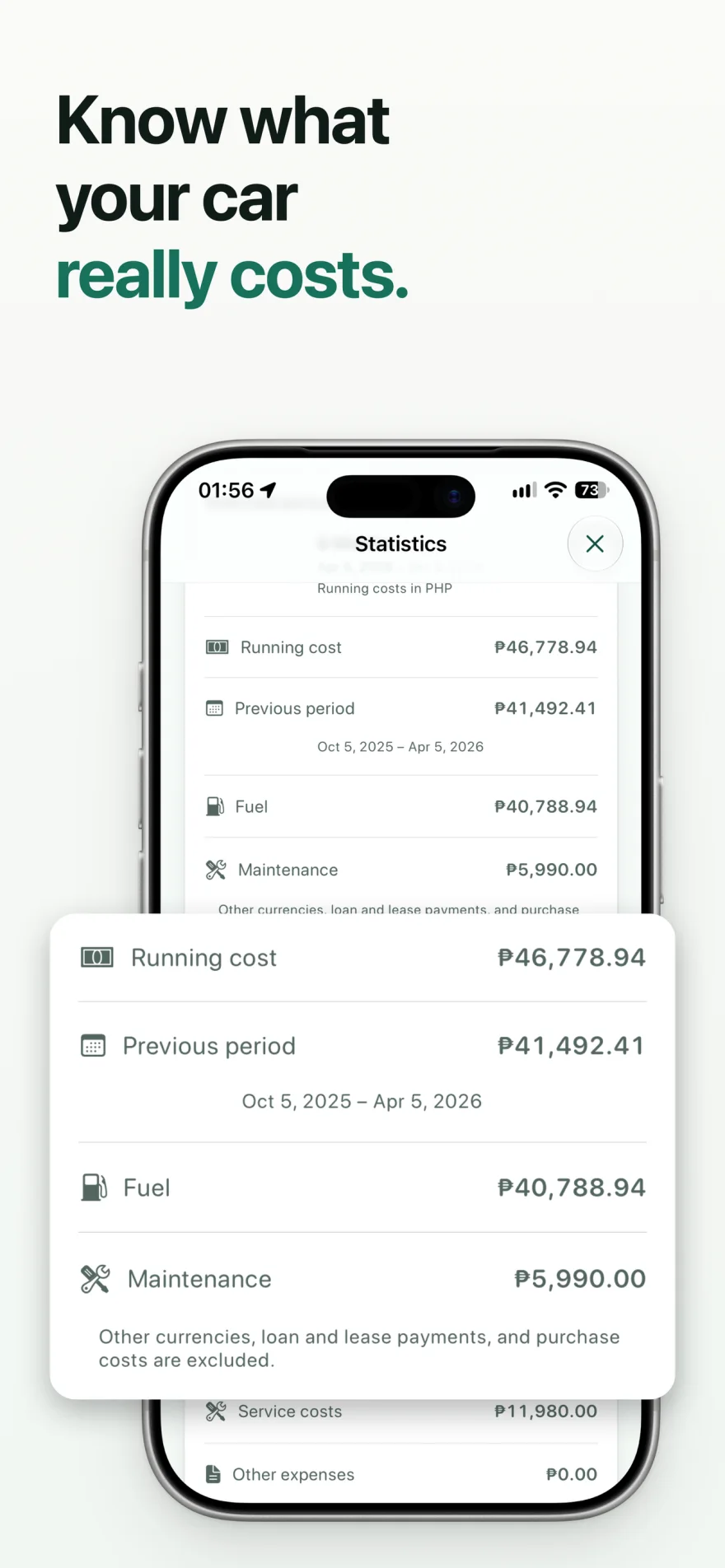
Separate operating costs from buying the car
Fuel, charging, and maintenance help describe the cost of using a car. Purchase costs and loan or lease payments answer a different ownership question. Fillo keeps those amounts separate from Running Cost rather than treating a financing payment as fuel or service.
You can still save ownership expenses such as insurance, registration, parking, tolls, and financing. Keeping a dated record and receipt helps you review what you paid without changing what a specific statistic includes.
| View | Question it helps answer |
|---|---|
| Running Cost | What did this car cost to operate over the selected period? |
| Car history | Which fuel-ups, services, or expenses did I record? |
| Cost Ahead | What costs may come up in the next 30, 90, or 365 days? |
| Vehicle Passport | Which parts of this history do I want to share? |
Build a record you can compare
Start with one car and keep its currency and units consistent. A useful comparison needs comparable periods and enough saved records. Missing receipts or unlogged fuel purchases leave gaps in the totals.
- Add your car and confirm its currency and measurement settings.
- Save fuel-ups or charging sessions with the amount paid and odometer reading.
- Record maintenance and other ownership expenses with dates and receipts.
- Review Statistics for the period you want to understand.
- Check the car history when an amount needs explanation.
Keep currency totals meaningful
Fillo never adds different currencies into one amount. A peso record and a dollar record cannot be combined into a useful total without an exchange-rate decision. Keep the original currency on each record, and review amounts within the same currency.
The screenshots on this website use illustrative Philippine peso data. Fillo supports currencies and measurement systems used elsewhere, and new cars use the device region to choose initial settings.
Worked example: one month of running costs
These illustrative records belong to one car for September 2026. Every amount in the table is in Philippine pesos, PHP. Fuel, charging, maintenance, and operating expenses dated within the month contribute to Running Cost. Count each eligible record once.
The PHP 9,200 total excludes the loan payment and down payment. It also excludes deleted records, forecast amounts, records outside September, and records in another currency. A USD 20 expense stays in its own currency total; it is not converted or added to PHP 9,200. Purchase price, current value, sale value, and depreciation are not Running Cost. The example assumes the month’s eligible records are complete.
| Recorded cost | Amount in PHP | Included in Running Cost |
|---|---|---|
| Fuel | 4,000 | Yes |
| Charging | 500 | Yes |
| Maintenance | 2,000 | Yes |
| Parking and tolls | 1,200 | Yes |
| Insurance payment | 1,500 | Yes |
| Running Cost total | 9,200 | 4,000 + 500 + 2,000 + 1,200 + 1,500 |
| Loan payment | 8,000 | No; financing |
| Down payment | 50,000 | No; acquisition |
Use Cost Ahead as a planning estimate
Cost Ahead looks at the next 30, 90, or 365 days using saved history, confirmed maintenance intervals, recurring expenses, and document renewals. Review the inputs behind the estimate when your plans or driving pattern change.
A saved record is evidence of a past cost. A forecast is an estimate of a future cost. A future repair that has not been recorded or scheduled may be absent, so a forecast should not be treated as a complete ownership budget or a prediction of failures.
When you need to share history, create a Vehicle Passport PDF and choose the details to include. For a complete restorable copy before changing devices, save a Fillo Backup. A CSV export serves a different purpose and does not include attachments.
Related Fillo guides
How to keep a fuel log on iPhone
A useful fuel log records when you filled up, your odometer reading, fuel quantity, and what you paid. In Fillo, each entry belongs to a car and stays on your device. Keeping consistent records helps you compare fuel spending and understand fuel economy over time.
Set car service reminders by date and odometer
A car service reminder can use a due date, an odometer target, or both. Fillo marks the item due when either condition is reached. Use intervals you confirm for your own car, and treat an estimated date as guidance based on saved records rather than a guaranteed deadline.
First-party Fillo workflows by Dexter Brylle Matos, Fillo’s developer. Examples use illustrative sample records. For data storage, backup, and restore details, read Fillo support.