 Fillo
FilloA useful fuel log records when you filled up, your odometer reading, fuel quantity, and what you paid. In Fillo, each entry belongs to a car and stays on your device. Keeping consistent records helps you compare fuel spending and understand fuel economy over time.
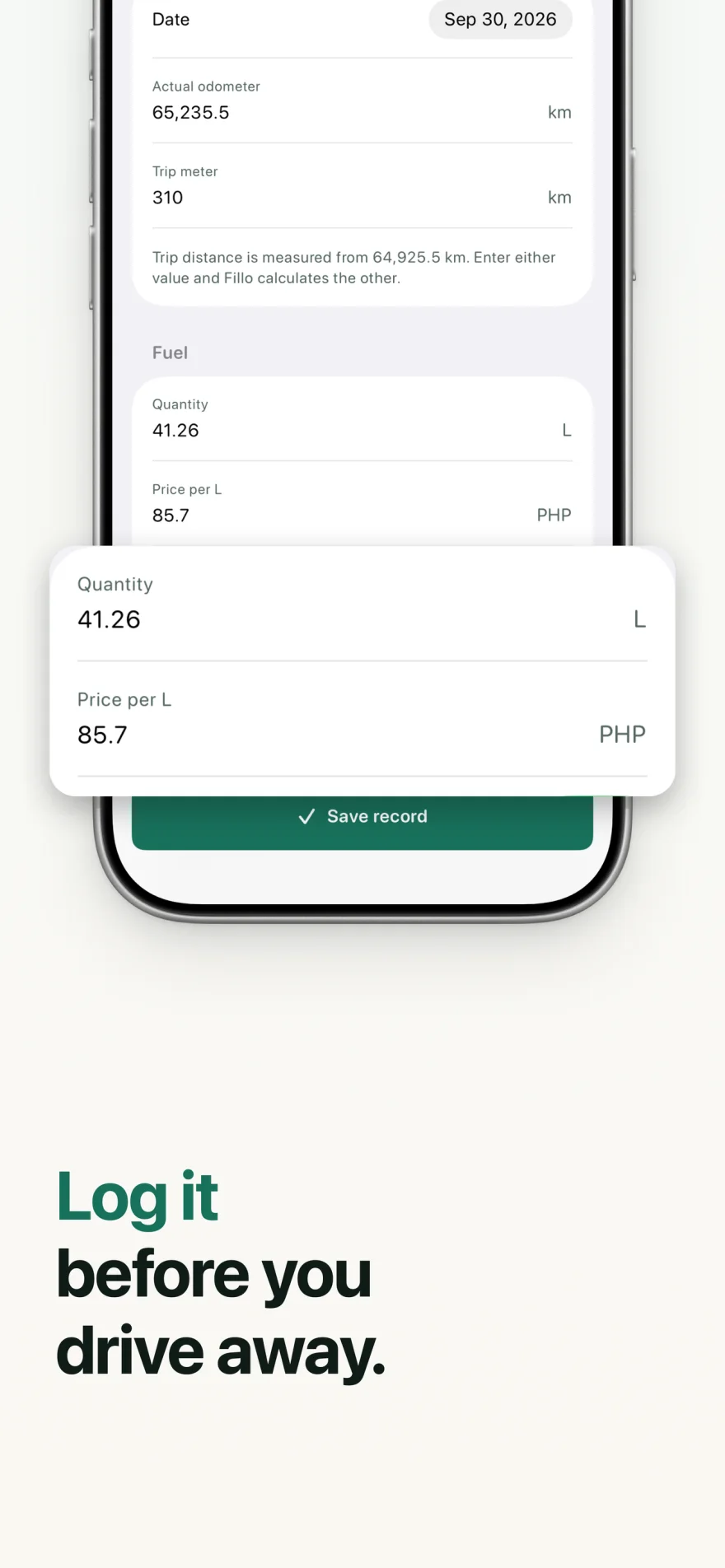
What to record at each fill-up
Save the date and actual odometer reading, then enter the fuel quantity and price. Keep the station name and a receipt photo when you want to check an entry later. A receipt alone cannot supply a missing odometer reading.
| Record | Why it helps |
|---|---|
| Date and odometer | Connect the purchase to the distance you drove. |
| Fuel quantity and unit | Use consistent liters or gallons for that car. |
| Unit price and total | Check the amount against your receipt. |
| Full or partial tank | Keep fuel economy calculations in context. |
| Station and receipt | Find and verify an earlier purchase. |
Add a fuel record in Fillo
Select the Active car before logging, especially if you keep more than one car in your Garage. Each car has its own currency and measurement settings.
- Open the fuel entry for your Active car.
- Enter the date, actual odometer reading, and fuel quantity.
- Enter the unit price or total and check it against your receipt.
- Record whether the fill-up is full or partial. Add the station, notes, or a receipt if useful.
- Review the entry and save it.
Read fuel economy in the units you use
Fillo supports MPG, km/L, and L/100 km. Full-tank fill-ups provide the basis for fuel economy because they give the calculation a repeatable tank level. A partial fill-up does not, by itself, establish the fuel used over the distance since your previous entry.
A lower L/100 km value means less fuel used for the same distance. A higher km/L or MPG value means more distance per unit of fuel. US and Imperial gallons differ, so compare MPG values using the same measurement system.
Fuel economy describes recorded driving. It is not a diagnosis of a mechanical problem. Traffic, route, load, and gaps in your log can change the numbers you see.
Worked example: two full-tank readings
These illustrative records use kilometers and liters for one car. Both fill-ups end at the same full-tank level, and there are no missing or partial fill-ups between them. The fuel added at the first reading establishes the starting tank level; the 40 L added at the second reading replaces fuel used during the interval.
| Record or calculation | Sample value |
|---|---|
| First full tank, September 1 | 20,000 km |
| Next full tank, September 15 | 20,500 km; 40 L added |
| Distance | 20,500 − 20,000 = 500 km |
| Fuel economy in km/L | 500 ÷ 40 = 12.5 km/L |
| Consumption in L/100 km | 40 ÷ 500 × 100 = 8 L/100 km |
Keep charging records separate
For an electric car or plug-in hybrid, record charging sessions in kWh and keep the amount paid. Liters, gallons, and kWh measure different things. Keep fuel and charging records in their own entry types so the car history remains useful.
Your records work offline. Save a Fillo Backup through Files when you need a complete copy before changing devices. CSV export is useful for reviewing editable records, but it does not include attachment content.
Related Fillo guides
Set car service reminders by date and odometer
A car service reminder can use a due date, an odometer target, or both. Fillo marks the item due when either condition is reached. Use intervals you confirm for your own car, and treat an estimated date as guidance based on saved records rather than a guaranteed deadline.
Understand your car running costs and upcoming expenses
Car running costs describe what you spend to operate a car during a period. Fillo keeps fuel, charging, maintenance, and expense records together so you can review past spending. Cost Ahead provides a separate estimate of upcoming costs from your saved history, intervals, recurring expenses, and document renewals.
First-party Fillo workflows by Dexter Brylle Matos, Fillo’s developer. Examples use illustrative sample records. For data storage, backup, and restore details, read Fillo support.